 AI & Automation
6 min read
AI Automation for Small Business: Where to Start Without Overspending
You don't need an enterprise AI budget to get real value from automation. Here's a practical order of operations for small and mid-sized teams.
Key takeaways
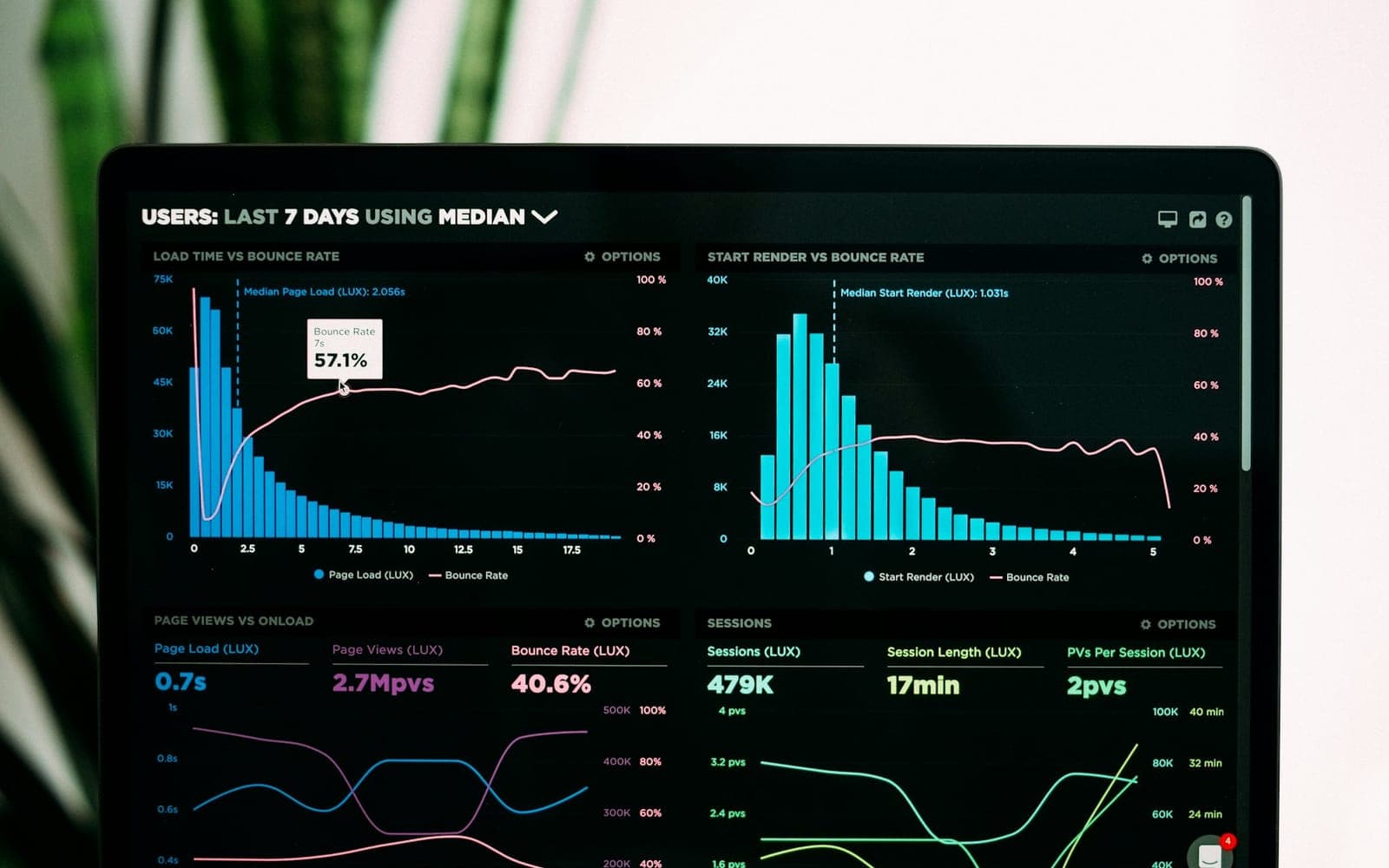
Almost every company we work with has at least one dashboard that took weeks to build and now gets opened by one person, once a month, usually the person who built it. The charts are fine. The data is mostly right. The problem is that the dashboard answers the questions someone had when it was designed, and the questions people have today need a filter, a different date range and a second tab nobody has time to figure out. So they message the analyst, or they guess.
AI-powered dashboards don't fix this by adding more charts. They fix it by changing how people get answers: you ask a question in plain English, the system queries the data, and you get a number, a chart and a sentence explaining what changed. Done well, that's the difference between a reporting tool and something people actually pull up in the Monday meeting.
Dashboards usually die for boring reasons, not technical ones. They're built around what was easy to chart rather than what people need in order to decide something. They live in a separate tool that nobody has open. And each one covers a slice of the business, so a simple question like "which marketing channel brings in customers who actually pay on time" means stitching together three systems by hand.
That last point is the one we see cost the most money. A dashboard that depends on someone going looking is a dashboard that finds problems late.
Strip away the marketing and there are three capabilities that matter. The first is natural-language questions. A sales lead types "how did Q3 renewals compare to Q2, split by plan" and gets an answer without building a report. Under the hood, a language model translates the question into a query against a defined data model. A good system also shows you the logic it used, so you can check it instead of taking it on faith.
The second is automated anomaly alerts. Instead of waiting for someone to notice that refund requests doubled on Tuesday, the system watches key metrics against their normal range and sends a short message to the right person when something moves outside it. The useful versions include a first guess at why: a specific product, a region, a campaign that went live the day before.
The third is one source of truth. The dashboard pulls from your CRM, your web analytics, your finance or billing system and whatever else runs the business, into one place where the definitions are agreed. Revenue means one thing. Active customer means one thing. This is the least exciting part and the most important, because the AI layer is only ever as good as the data model underneath it.
“The AI part is the easy part. Getting three departments to agree on what counts as an active customer is where the real project is.”
The fastest way to build a useless AI dashboard is to connect every data source you have and let people ask anything. You'll get answers, but a fair share of them will be subtly wrong, because the model is guessing at relationships between tables nobody documented. Start from decisions instead.
For most small and mid-sized businesses this lands somewhere around 15 to 30 core metrics. That's enough to answer the large majority of real questions and small enough to define properly. You can always add more later; removing a metric people have started to rely on is much harder.
We almost never recommend a big-bang rollout when building custom AI dashboards. A better path is to pick one team with a clear pain point, often sales or operations, and build a narrow version for them first. Connect the two or three systems they rely on, define their metrics properly, turn on natural-language questions for that data only, and set up a handful of alerts.
Then watch how they use it for a few weeks. The questions people type are the best requirements document you'll ever get. You'll see which answers they trust, where the model misreads a question, and which metrics they keep asking about that aren't in the model yet. Fix those, then expand to the next team. A first version like this is typically a matter of weeks rather than months, and it gives you something real to judge before committing to a larger build.
One practical tip: keep a few fixed charts. People like having a small set of views they check every morning without typing anything. The question interface works best as the thing you reach for when the fixed view raises a question, not as a replacement for every chart.
Bad data in, confident nonsense out. A traditional dashboard built on messy data looks messy, and people learn to be suspicious of it. An AI dashboard built on messy data produces a clean, well-written sentence that happens to be wrong. That's worse. Before switching on natural-language questions, fix duplicate customer records, inconsistent currency and time zone handling, and the free-text fields your team uses for things that should have been dropdowns.
Access permissions are the second trap. If your CRM hides certain deals from certain people, or payroll data is restricted to leadership, the dashboard has to respect exactly the same rules. It's surprisingly easy to build a system where anyone can ask what the engineering team costs in salaries and get a precise answer. Permissions need to be enforced at the data layer, not just by hiding a chart, because a question interface will happily route around anything that's only hidden in the UI.
Alert fatigue deserves its own mention. If the system flags twenty anomalies a week, people mute it within a month and you're back to a dashboard nobody looks at. Start with a few alerts on metrics that genuinely matter, tune the thresholds against real history, and add more only once the first ones have earned people's trust.
If you have dashboards nobody opens, the fix isn't another dashboard. Start by collecting the questions people currently send to whoever "knows the numbers", and the decisions those answers feed. That list tells you which data sources matter, which metrics need definitions, and which team to start with. If marketing is where the questions start, measuring paid and organic search on the same terms makes a good first dashboard.
From there, a focused first build for one team, on clean and well-defined data, with permissions handled properly from day one, will teach you more in a month than any vendor demo. If it's useful, people will start asking it things you didn't plan for. That's usually the clearest sign it's worth expanding. The same first-project mindset works for automating small business workflows, and if your team mostly checks numbers on the go, a mobile app may be worth considering as a later step.
A dashboard where people can ask questions about business data in plain language and get answers, and where automated alerts and summaries point out what changed and why, instead of only showing static charts that someone has to interpret.
Because every new question needs someone with the right skills to build a new report. When getting an answer takes days, people stop asking and stop opening the dashboard.
A defined set of about 15 to 30 core metrics, each with a one-line definition, a source system and an owner; reasonably clean data; and access permissions enforced at the data layer rather than only hidden in the interface.
Yes, and it will state them confidently if the data is messy or metric definitions are ambiguous. That is why cleaning the data, agreeing definitions and enforcing permissions come first, and why answers should be spot-checked early on.
Work with us
We work with businesses in the US and worldwide. Tell us where things stand and we'll give you an honest recommendation, even if that means a smaller project than you expected.
AI & AutomationYou don't need an enterprise AI budget to get real value from automation. Here's a practical order of operations for small and mid-sized teams.
 Digital Marketing
This isn't an either/or decision. Here's a practical framework for how much to invest in paid versus organic, based on your timeline and market.
 Design & UX
As soon as more than one person touches your product's UI, inconsistency creeps in. A design system is how you prevent that without slowing down.
No spam, just practical writing on AI, SEO, and building things that grow.